Authentication vs Authorization: How Secure Access Control Works
Authentication confirms who a user is, while authorization determines what that user can access. Learn how both work together in modern web applications and APIs.

Authentication vs Authorization: How Secure Access Control Works
Authentication and authorization are two of the most important concepts in application security, but they solve different problems.
Authentication asks: “Who are you?”
Authorization asks: “What are you allowed to do?”
A user may successfully log in to an application, but that does not automatically mean the user should be able to access every account, administrative function or private resource.
A secure application therefore needs both a reliable authentication mechanism and a properly designed authorization system.
This distinction becomes especially important in modern applications built around REST APIs, mobile apps, single-page applications and microservices.
Authentication vs Authorization
Authentication is the process of verifying a user's identity. This can involve a password, passkey, one-time code, biometric authentication or another authenticator. OWASP describes authentication as determining whether someone is who they claim to be.
Authorization happens after or alongside authentication and determines whether the authenticated user is permitted to perform a specific action or access a particular resource.
Consider a banking application.
A customer logs in successfully.
That proves their identity.
But the customer should be able to view their own account information, not another customer's account simply because they know the other account's identifier.
That second decision is authorization.
OWASP specifically recommends performing access-control checks for the particular object or functionality being requested rather than assuming that authentication alone provides permission.
How a Typical Login Flow Works
A simplified authentication flow looks like this:
User → Login Form → Authentication Server → Verify Credentials → Create Session/Token → Client → Protected API
The user submits credentials to the server.
The server verifies the credentials against its identity store. Passwords should not be stored as plain text. Instead, applications should use an appropriate password hashing approach and protect authentication data carefully.
When authentication succeeds, the server establishes an authenticated state. Depending on the architecture, that state can be represented by a server-side session, an access token, or a combination such as a short-lived access token and a refresh token.
The client then uses the authenticated state when requesting protected resources.
For every subsequent request, the server must still determine whether the request is authorized for the specific resource or operation.
Step 1: User Submits Credentials
The process starts when a user provides credentials.
For a traditional login, this could be:
Email Password
For stronger authentication, the process may also involve:
Email Password One-Time Code
or a passkey or another authentication factor.
The login endpoint should be protected with HTTPS so credentials are not transmitted over an unencrypted connection.
Authentication endpoints should also be designed to reduce abuse, including appropriate rate limiting and controls against automated attacks.
Step 2: The Server Verifies the User
The backend receives the login request and checks whether the credentials are valid.
A simplified conceptual flow is:
email → find user password → verify against stored password hash account status → check active/locked state authentication rules → pass
The server should not trust information supplied directly by the client to establish identity.
For example, a request such as:
{ "userId": 25, "role": "ADMIN" }
should never be treated as proof that the caller is user 25 or an administrator.
The server needs to derive trusted identity and authorization information from the authenticated security context.
Step 3: Create an Authenticated Session
After successful authentication, the application needs to remember the user's authenticated state.
There are several possible approaches.
Server-Side Sessions
The server creates a session record and gives the browser an unpredictable session identifier.
The browser sends the session identifier with later requests, while the actual session state remains server-side.
Token-Based Authentication
The server can issue an access token that represents the authenticated context.
JWTs are one possible token format, although JWT is not synonymous with authentication itself. OWASP notes that JWTs are commonly used to carry claims in systems such as OAuth 2.0 and OpenID Connect.
The security of a token-based system depends on how tokens are issued, stored, validated, expired and revoked.
Step 4: Store Credentials Carefully
Where authentication tokens are stored matters.
For browser-based applications, OWASP's current session-management guidance advises against storing authentication tokens, session IDs or refresh tokens in localStorage or sessionStorage, because JavaScript running in the page's origin can access them. It recommends secure HttpOnly, Secure and appropriate SameSite cookies or architectures such as Backend-for-Frontend where suitable.
For example, a cookie-based session may use attributes such as:
HttpOnly Secure SameSite
The exact SameSite setting depends on the application's architecture and cross-site requirements.
The important principle is that authentication credentials should not be exposed unnecessarily to browser JavaScript.
Step 5: Send Requests to Protected APIs
Once the user is authenticated, the frontend can request protected resources.
A simplified example:
GET /api/account/profile
The backend receives the request and establishes the caller's identity from the session or access token.
The server should then move to the next question:
Is this user allowed to perform this action on this resource?
That is authorization.
Step 6: Perform Authorization on Every Sensitive Request
Authentication is not enough.
Suppose a user is authenticated and requests:
GET /api/accounts/1001
The backend should not simply check:
Is the user logged in?
It should determine:
Does this authenticated user have permission to access account 1001?
That is particularly important for APIs that expose object identifiers in paths, query parameters or request bodies.
OWASP warns that manipulating an object identifier should not allow a user to access someone else's resources. Authorization checks need to be performed on the actual object or functionality requested.
This is one reason developers should never rely on hidden IDs or obscure URLs as a substitute for access control.
Role-Based Access Control
One common authorization model is Role-Based Access Control, or RBAC.
For example:
USER ADMIN MANAGER SUPPORT
Each role may have different permissions.
A simplified example:
USER
- View own profile
- View own orders
MANAGER
- View team reports
- Manage assigned records
ADMIN
- Manage users
- Change system configuration
- View administrative reports
The backend can evaluate the user's role before allowing an operation.
However, role checks alone may not be enough for complex systems.
Permissions Can Be More Precise Than Roles
Consider two managers.
Both have the role:
MANAGER
But Manager A may only manage customers in Region A, while Manager B may manage customers in Region B.
A simple role check does not capture that difference.
The authorization system may therefore need additional rules based on attributes such as:
user department tenant resource owner region operation resource state
This becomes particularly important in multi-tenant SaaS and financial applications.
For example:
User → Tenant A
should not automatically allow access to:
Tenant B
even if the user has a valid authenticated session.
Authentication and Authorization in Microservices
In a microservices architecture, the flow becomes more distributed.
A simplified architecture could look like:
Client
↓
API Gateway
↓
Authentication / Identity Service
↓
Access Token
↓
Order Service / Payment Service / User Service
↓
Authorization Check
↓
Database
The gateway can handle common concerns such as token validation and routing, but individual services should still enforce authorization for the resources they own.
A request reaching a service does not automatically mean the operation should be allowed.
For sensitive systems, authorization should be enforced close to the resource and business operation rather than being treated as only a frontend or gateway responsibility.
Authentication Is Not the Same as Authorization
A common implementation mistake is checking only whether a token is valid.
For example:
if tokenValid: allow request
That establishes authentication, but not necessarily authorization.
A better conceptual flow is:
- Is the token/session valid?
- Who is the authenticated user?
- What roles or permissions apply?
- Which resource is being accessed?
- Is this user allowed to perform this operation?
- Is the requested action valid in the current business state?
The final checks depend on the application.
A user might have permission to view an invoice but not delete it. They might have permission to edit their own profile but not another user's profile.
What Happens When a Token Expires?
Access tokens are usually designed to have a limited lifetime.
When an access token expires, a system using refresh tokens may issue a new access token after validating the refresh token and associated security conditions.
Refresh tokens therefore need strong protection.
They can represent a longer-lived path to obtaining new access tokens, so compromising one can have greater consequences than compromising a short-lived access token.
Modern OAuth security guidance recommends strong protections around authorization-code flows and specifically requires public clients to use PKCE. It also recommends mechanisms that reduce the risk from stolen access tokens.
For browser and mobile applications using OAuth or OpenID Connect, current best practice should be based on the applicable standards and provider guidance rather than older token-flow examples found in tutorials.
OAuth and Social Login
Applications that allow users to sign in with providers such as Google or another identity provider often use OAuth 2.0 and OpenID Connect.
A simplified flow looks like:
Your App ↓ Authorization Request ↓ Identity Provider ↓ User Authentication ↓ Authorization Code ↓ Your Backend ↓ Token Exchange ↓ Authenticated Application Session
Modern OAuth security guidance emphasizes authorization-code flows and PKCE. RFC 9700 states that public clients must use PKCE and that authorization servers must support it. The document also recommends protections against authorization-code injection and related attacks.
The exact implementation depends on whether the application is a browser application, mobile application, traditional server-rendered application or another client type.
Keep Authorization on the Backend
Frontend checks are useful for user experience.
For example, the frontend might hide an "Admin Settings" button from ordinary users.
But hiding the button is not security.
A user can potentially call the API directly without using the application's interface.
Therefore:
Frontend authorization check ↓ Improves user experience
Backend authorization check ↓ Provides actual security
Sensitive authorization decisions must be enforced server-side.
Common Authentication and Authorization Mistakes
Several mistakes appear repeatedly in application security.
Storing passwords in plain text can expose every account if the database is compromised.
Trusting role information from the client allows users to potentially modify data that should be server-controlled.
Checking only whether a token is valid can allow authenticated users to access resources they should not control.
Storing tokens in browser storage without considering XSS risk can expose credentials to malicious JavaScript. OWASP specifically warns against putting authentication tokens, session IDs and refresh tokens in Web Storage.
Relying on predictable object IDs does not provide authorization. An attacker should not gain access simply by changing /users/100 to /users/101. OWASP recommends access-control checks for the actual requested object.
Using outdated OAuth flows can introduce avoidable security weaknesses. Current OAuth security guidance has deprecated or discouraged several older patterns and emphasizes stronger authorization-code protections.
A Practical Secure Flow
A modern web application's overall security flow can be visualized like this:
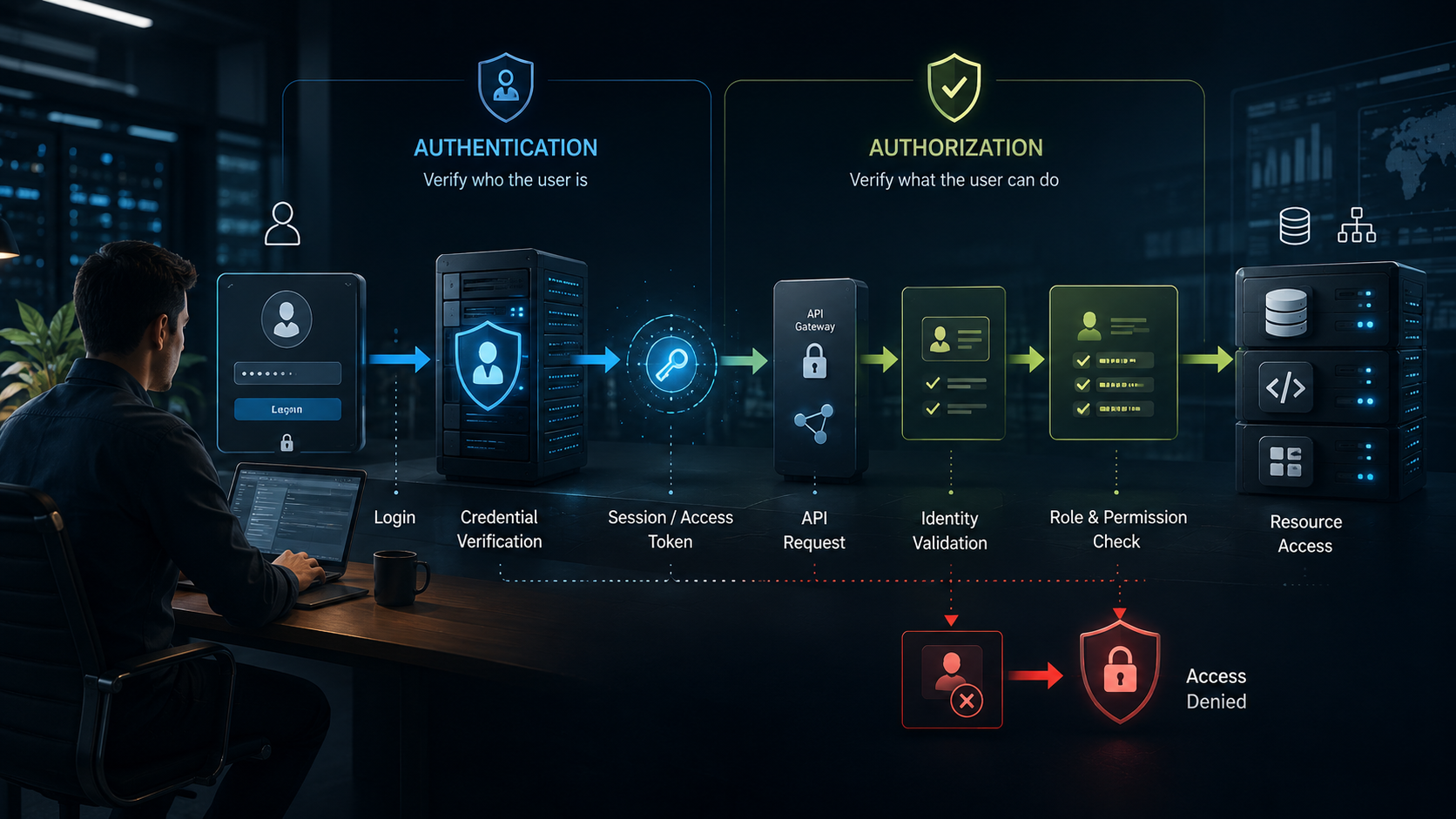
The key idea is that authentication and authorization are separate security decisions.
The authentication layer establishes identity.
The authorization layer decides what that identity can do.
The Bottom Line for Developers
A secure access-control design should not stop at the login screen.
A complete solution needs to consider password protection, multi-factor authentication where appropriate, secure sessions or tokens, token expiration, authorization checks, resource ownership, role and permission design, API security and safe OAuth implementations.
The most important principle is simple:
Being authenticated does not mean being authorized.
A user can prove who they are and still be denied access to a particular resource or operation.
When authentication and authorization are designed as separate but connected layers, applications become easier to reason about and significantly harder to misuse.
FAQ
What is the difference between authentication and authorization?
Authentication verifies a user's identity. Authorization determines which resources or actions that authenticated user is permitted to access.
Is JWT authentication the same as authorization?
No. JWT is a token format that can carry claims about an identity or authorization context. The backend must still enforce whether the user is permitted to access a particular resource or perform an operation.
Should authentication tokens be stored in localStorage?
OWASP's current session-management guidance advises against storing authentication tokens, session IDs and refresh tokens in localStorage or sessionStorage because browser JavaScript can access them. Secure HttpOnly cookies or an appropriate backend-for-frontend architecture can be safer approaches for many web applications.
Should authorization be checked on the frontend?
Frontend checks can improve the user experience, but they are not sufficient for security. Authorization decisions for protected resources and operations need to be enforced by the backend.
Why is authorization important for APIs?
A valid login only establishes identity. An API must also verify that the authenticated user is allowed to access the requested resource or perform the requested operation, particularly when resource identifiers are supplied by the client.
James Parker
Verified JournalistStaff Reporter & Contributor · MoneyAllotment
Senior technology journalist covering AI, cybersecurity, consumer hardware, and software innovation.
This article was researched, written, and verified in accordance with MoneyAllotment's editorial standards. Our financial reporting is strictly independent and unaffected by commercial affiliations.
Reader Discussion (0)
Be the first to share your perspective on this report.
Further Dispatches & Related Analysis
More from Learning →
How to Learn a New Skill Faster in 2026: 10 Practical Tips
Learning a new skill does not require extraordinary talent. A clear goal, deliberate practice, useful feedback and a consistent learning routine can make the process more effective.
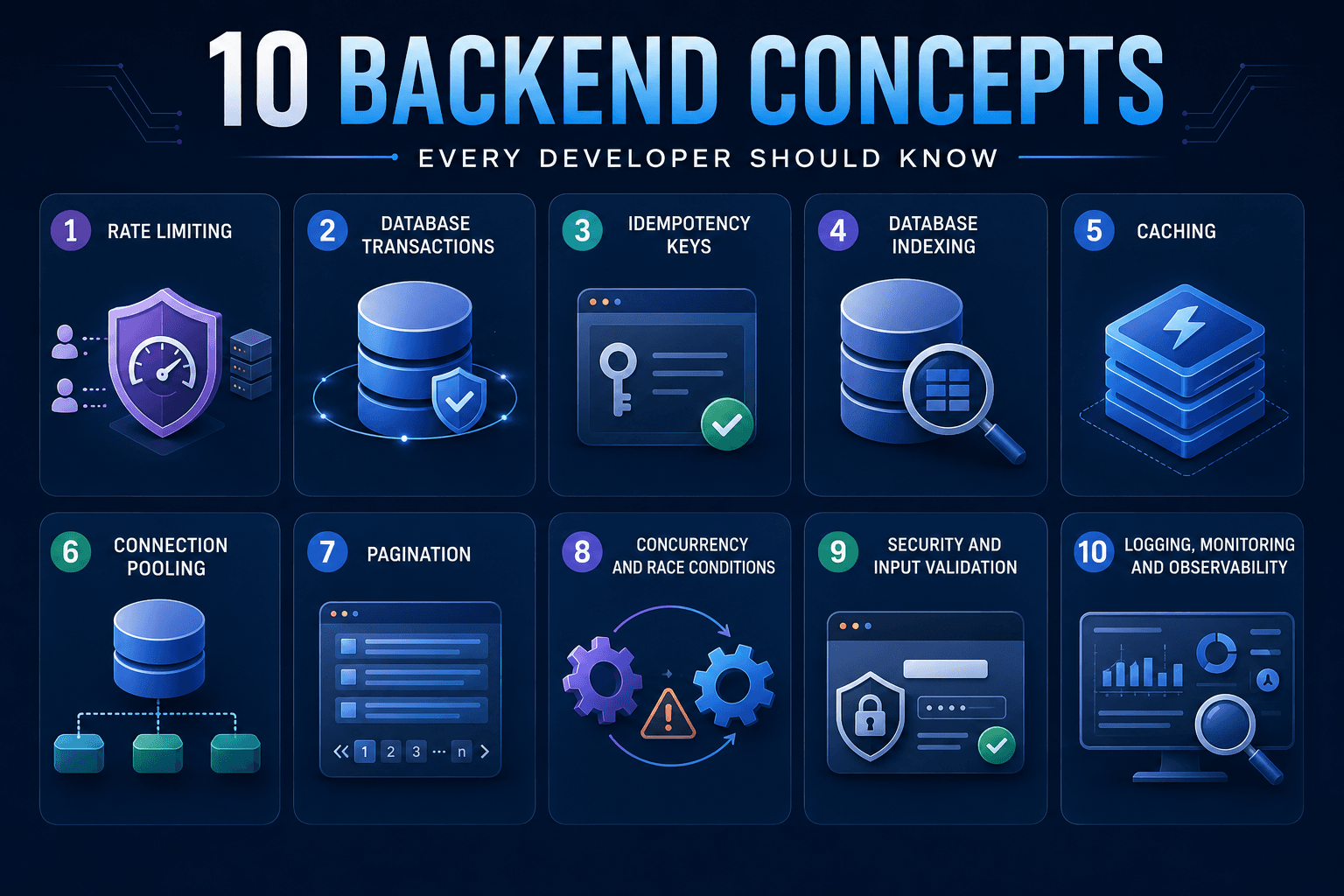
10 Backend Development Concepts Every Developer Should Know
Writing APIs is only part of backend development. These 10 concepts help developers build systems that remain reliable, secure and efficient in production.
Leave a Comment
Your email address will not be published. Required fields are marked *